States allow one block definition to switch between different authored behaviors.
A state represents a variation of geometry, nested blocks, and outputs.
States are selected, not duplicated definitions.
How states work
States are controlled in one of two modes:
Manual selection - available only when the selection formula is empty
Formula-driven selection - active when a selection formula is defined
If a selection formula exists, it determines the active state and manual state selection is disabled
Only one state is active at a time
The active state controls behavior
Where it is
Definition Tab -> States tab: define and manage states
Definition Tab -> State Manager: create, duplicate, and delete states
Definition Tab -> selection formula: enables automatic state selection
Definition Tab -> Debug tab: shows which state is active and whether selection is formula-driven
Properties Panel: manual state selection is available only when no selection formula is defined
Visual: State structure
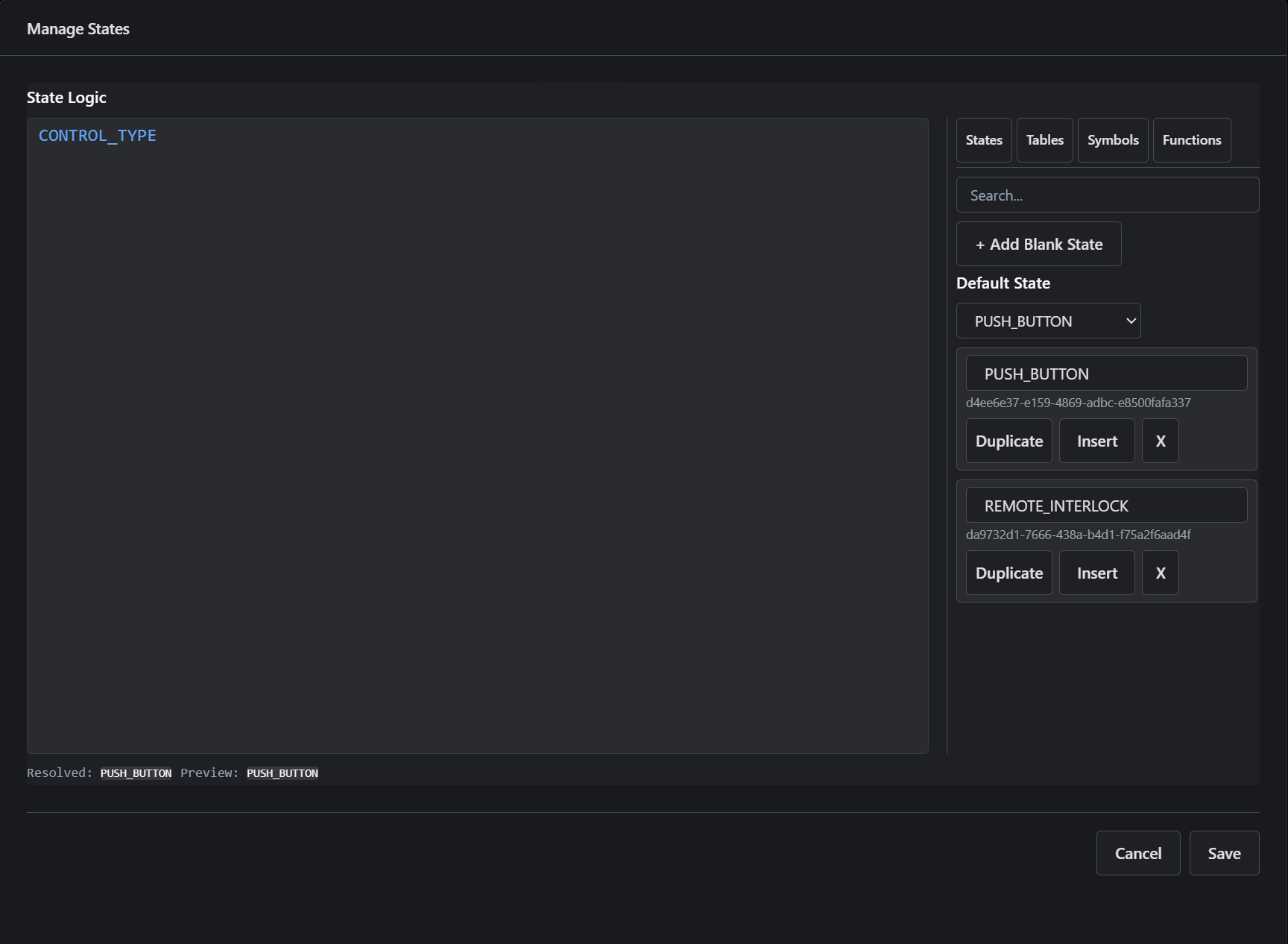
State definitions and default state - each state represents an alternate authored behavior within the same block.
Visual: State selection via formula
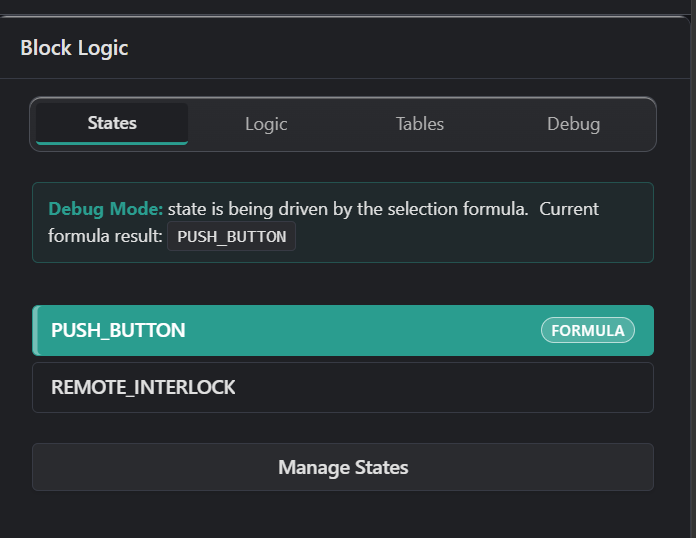
State selection in Debug mode - when a selection formula is defined, it determines which state is active based on current inputs and computed values. Manual state selection is disabled in this mode.
What you can do
Create and manage multiple states
Set a default state
Write a selection formula to switch states automatically
Manually choose a state only when no selection formula is defined
Use Debug mode to inspect which state is active
What happens
Parameters resolve first
Variables compute values
If a selection formula exists, it evaluates and selects the active state
If no selection formula exists, the active state can be chosen manually
Only one state is active at a time
That state's behavior drives geometry, nesting, and outputs
Key idea
States let one block definition switch between multiple behaviors.
If a selection formula exists, it controls the active state.
If no selection formula exists, the state can be selected manually.