Logic defines how a block turns inputs into behavior.
It is deterministic and evaluated.
Variables - computed values
Formulas - rules that compute values and select behavior
Lookup tables - data-driven selection used inside formulas
States - behavior switching using formulas
How logic works
Every block follows this flow:
Parameters provide input values
Variables compute derived values using formulas
Formulas can reference parameters, variables, table lookups, and supported functions
States use formulas to select which behavior is active
The final evaluated results drive geometry, nested blocks, and outputs
Where it is
Definition Tab -> Logic tab: variables and formulas
Definition Tab -> Tables tab: lookup tables used in formulas
Definition Tab -> States tab: behavior selection using formulas
Definition Tab -> Debug tab: resolved values and evaluation results
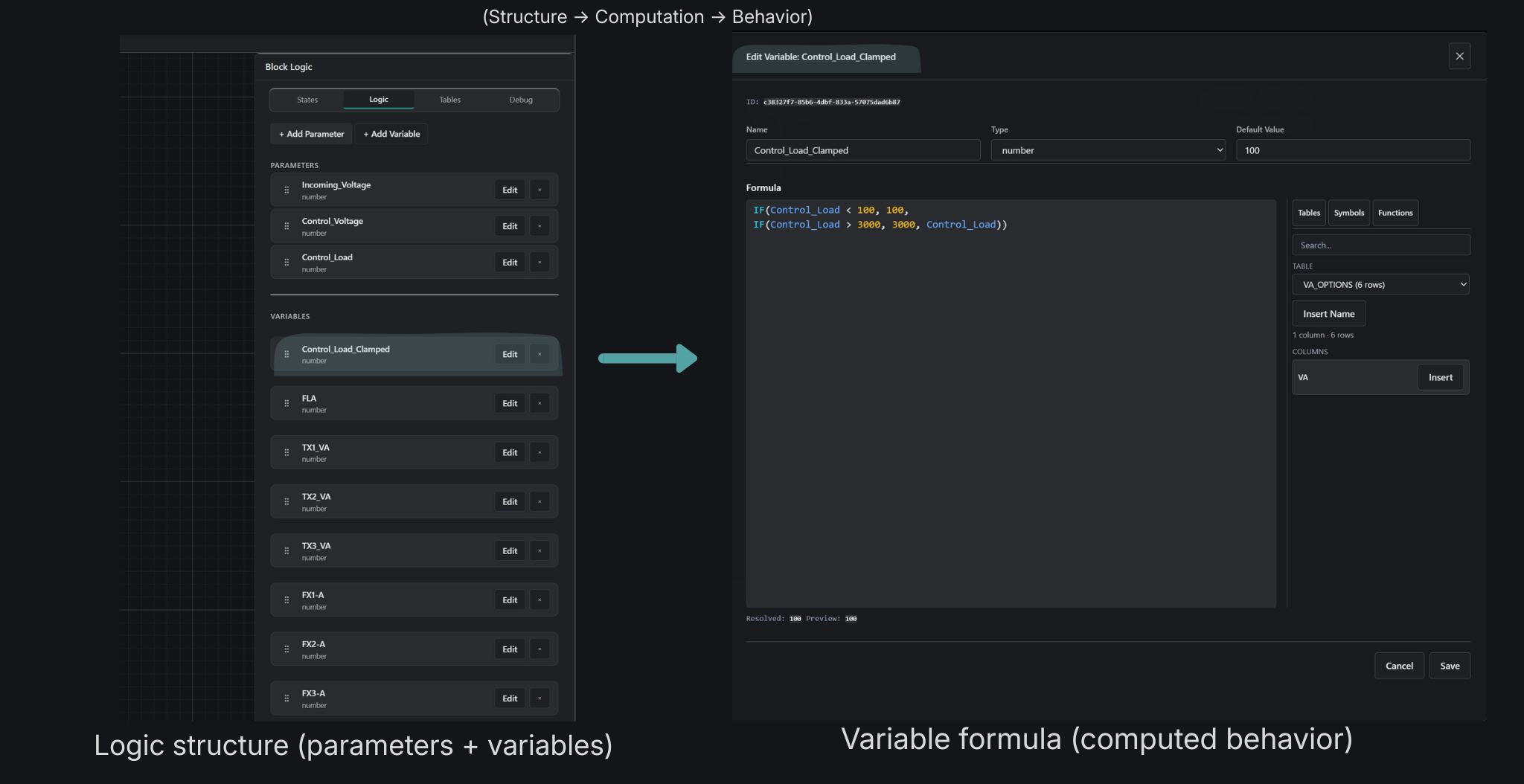
Visual: Structure -> Computation
Logic structure and variable formulas - structure defines what exists, formulas define how values are computed.
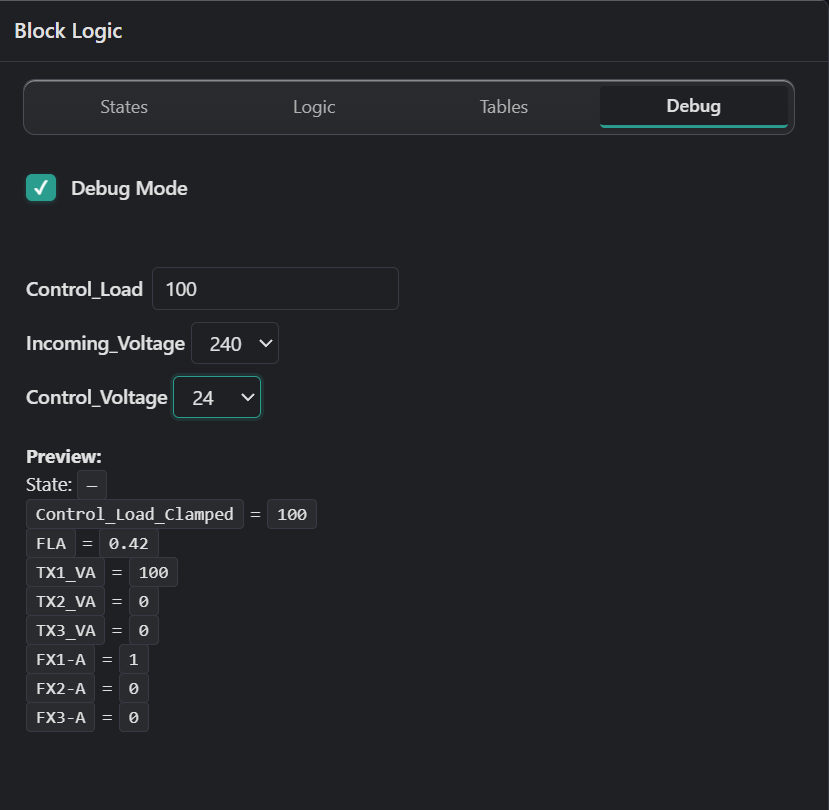
Visual: Resolved results
Resolved values in the Debug tab - variables are evaluated in dependency order. These resolved values drive geometry, states, and outputs.
Explicit value conversion
Use explicit conversion when a formula input type differs from the value needed by downstream logic.
TO_NUMBER(value) strictly converts finite numbers, booleans, and complete numeric strings such as "10.5". Invalid or partial numeric strings produce a formula error.
IF(MOTOR2_HP == "NA", 0, TO_NUMBER(MOTOR2_HP)) safely converts an enabled configurable option while preserving the disabled sentinel.
TO_STRING(value) converts strings, finite numbers, and booleans to simple text, for example "Motor " + TO_STRING(INSTANCE).
IS_NUMBER(value) and IS_STRING(value) inspect the current formula value type without converting it.
Conversion is intentionally separate from number formatting, units, prefixes, and locale-specific presentation.
What you can do
Define variables using formulas
Use functions (IF, SWITCH, ROUND, SUM, TO_NUMBER, TO_STRING, LUT_EXACT, LUT_RANGE)
Use lookup tables for data-driven decisions
Control behavior using states with formulas
Inspect resolved values in Debug
What happens
Parameters resolve first
Variables evaluate in dependency order
Formulas compute values or report errors
States evaluate formulas to select behavior
Resolved values are used everywhere (geometry, outputs, nesting)
Key idea
Logic turns inputs into predictable behavior using formulas, variables, tables, and state selection.