Help
How to combine lookup tables with formulas.
Use table-driven selection rules instead of hardcoding every formula result.
Lookup tables store structured rows of data that formulas can query.
They allow logic to select values based on inputs using exact matches or range-based matching.
Instead of hardcoding rules, you define behavior using data.
This is commonly used for engineering selections like sizes, ratings, and standard values.
Lookup tables separate data from logic.
One table can drive many variables and many block instances.
Instead of writing large conditional formulas, you define a table and let the system select the correct value.
This is what a lookup table looks like in LogiDraft:
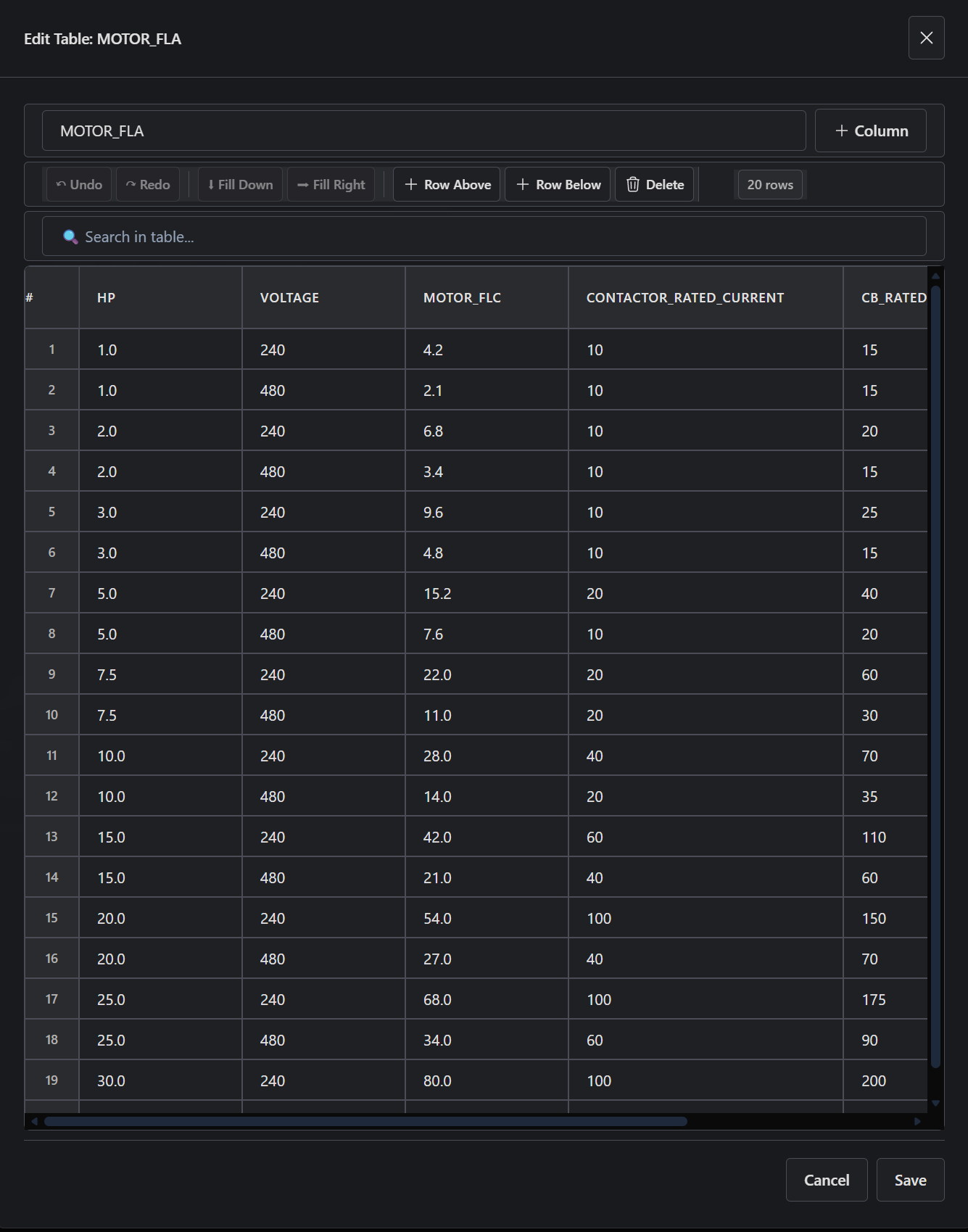
Lookup tables are one part of the larger parametric flow: inputs resolve through formulas and table data, then drawing geometry and outputs read from the resolved result.
Open the Control Power Panel and inspect how formulas use lookup tables to select values like transformer sizing or component ratings.
Lookup tables turn data into behavior. Formulas do not define every case - they select from structured data.
How to combine lookup tables with formulas.
How lookup values resolve inside block logic.
A practical lookup-driven sizing system.
Exact lookup function syntax.