Text interpolation
Text fields can mix static text with dynamic values.
Example: LOAD: {Control_Load} VA
The text updates automatically as inputs change.
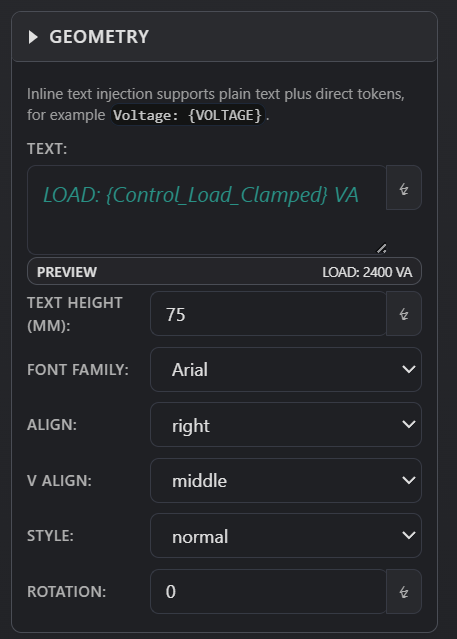
Drive geometry and text fields from parameters and variables instead of fixed literals.
Injection allows a field to resolve from parameters and variables instead of fixed values.
Instead of typing literal values, you bind fields to logic.
This is how geometry and labels stay in sync with inputs.
Fields can evaluate:
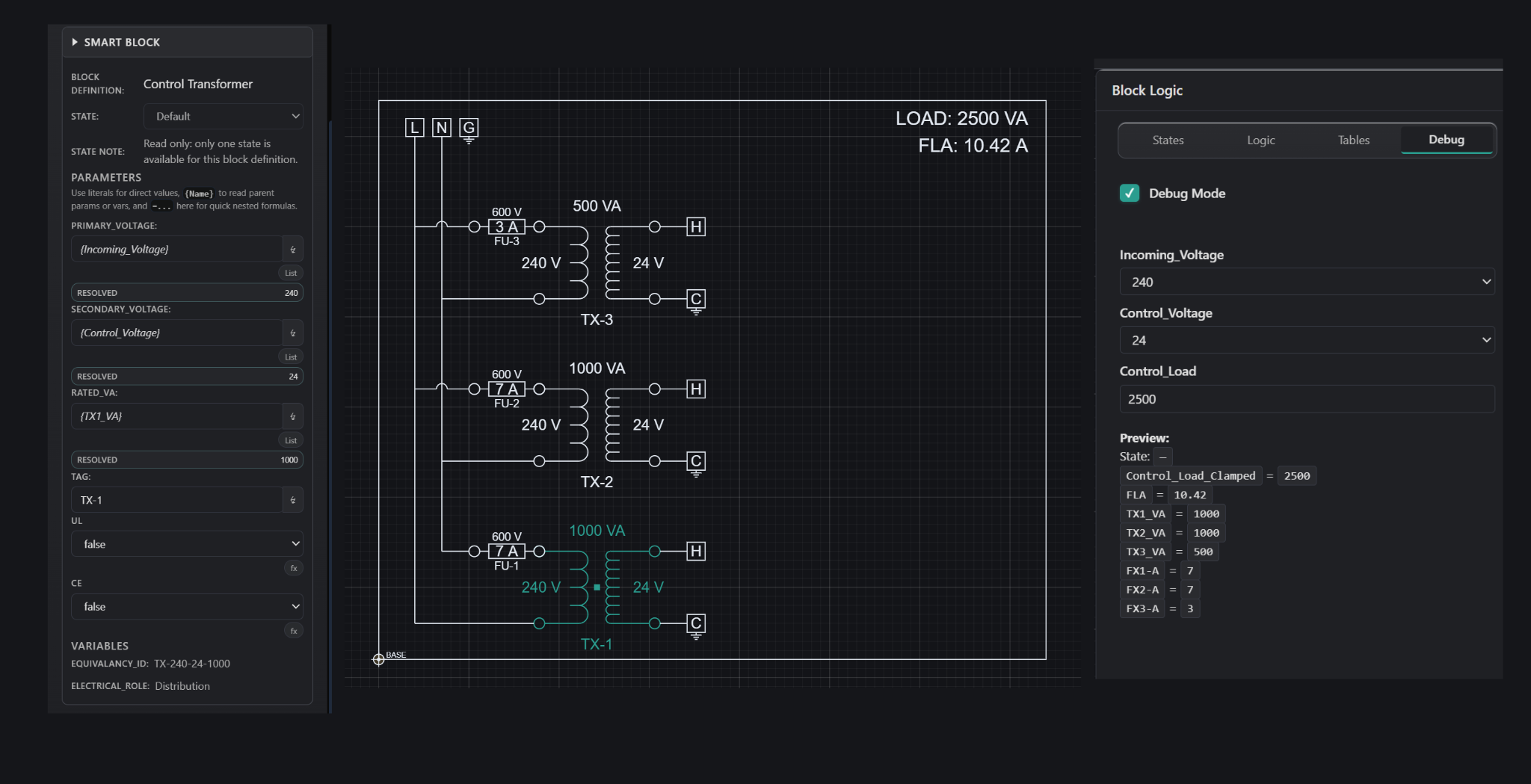
Injection connects logic to geometry and text. Instead of manually editing drawings, you define how fields resolve from data.
This enables:
Injection is the bridge between logic and outputs.
Injection is applied directly in the Properties Panel.
A preview shows the resolved value so you can verify the result.
Text fields can mix static text with dynamic values.
Example: LOAD: {Control_Load} VA
The text updates automatically as inputs change.
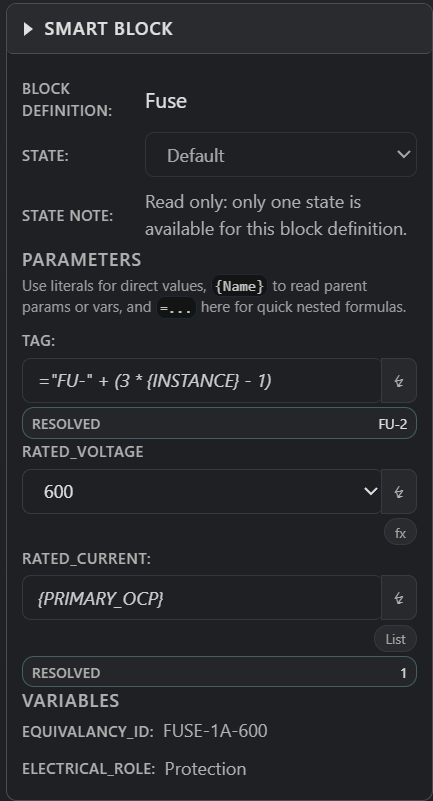
Fields can compute values using formulas.
Example: =IF(Control_Load > 1000, 2, 1)
This allows behavior to be defined directly at the field level.
For full syntax and supported functions, see the Reference page:
How to prepare values for injected fields.
How injection participates in evaluated logic.
A practical system where values drive geometry.