Back to Help

Use Parameters

Parameters are the inputs that control how blocks behave.

Core ConceptsbeginnerPrompt-based

What parameters are

Parameters are named inputs that control how a block behaves.

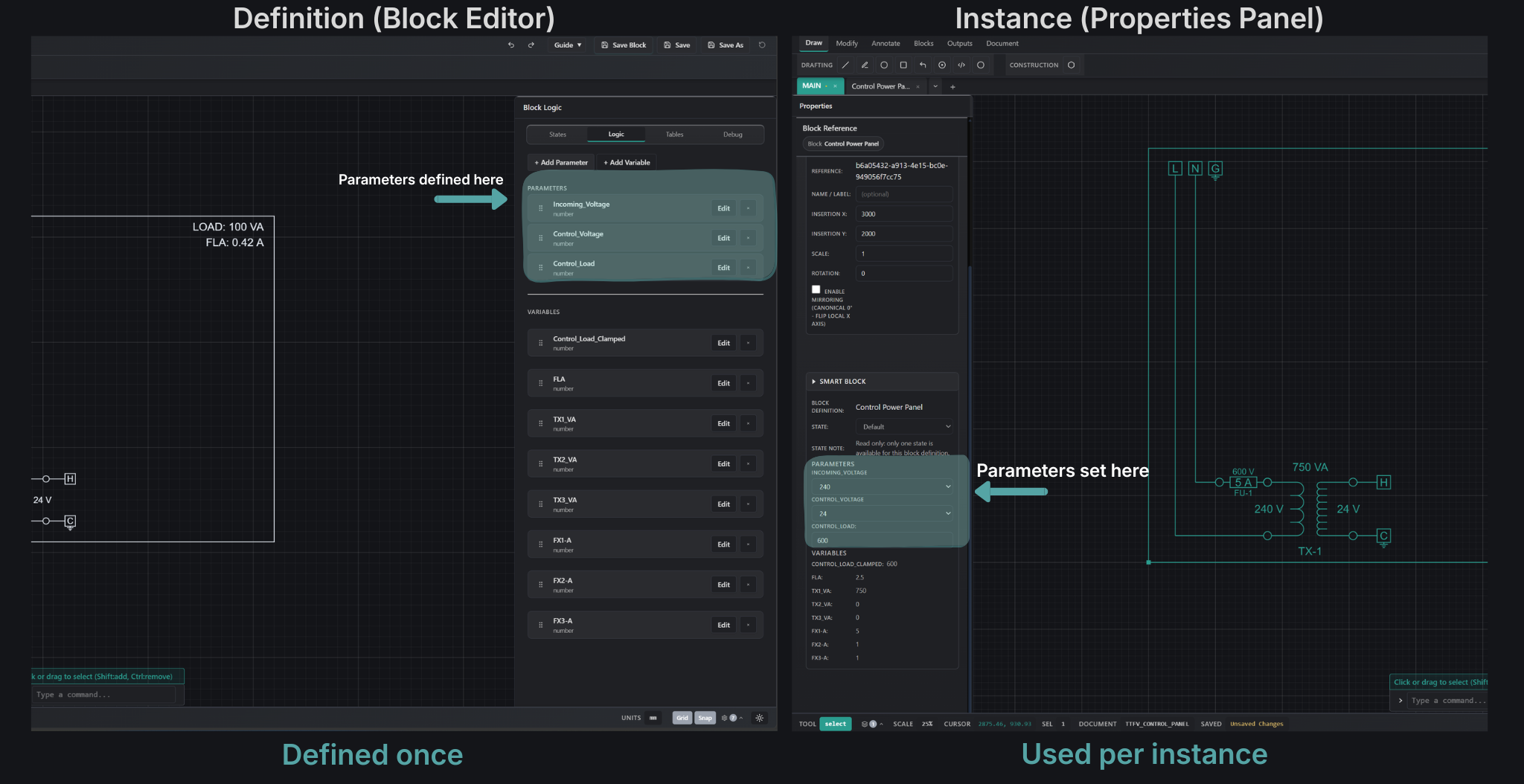
They are defined once in a block, and each placed instance can use different values.

Where parameters live

Parameters exist in two places:

Parameters defined in block editor and used in properties panel
  • Definition (Block Editor) - You create parameters
  • Definition (Block Editor) - Set default values and options
  • Instance (Properties Panel) - You change parameter values
  • Instance (Properties Panel) - Each instance can use different values

What changing a parameter does

When you change a parameter:

  • The system recalculates values
  • Geometry updates automatically
  • Outputs stay aligned

Where to find parameters

  • Block Editor -> create and configure parameters
  • Properties Panel -> edit parameters on a selected instance
  • Formula editor -> use parameters in expressions

What you can do with parameters

  • Create numeric, text, boolean, and choice parameters
  • Set default values and allowed options
  • Override values on each instance
  • Use parameters in logic, tables, and formulas

Try it now

Change parameter values and see the system respond.

Follow the guide, then try changing values yourself in the Properties Panel.

Parameters are how you control the system.

Define them once, and adjust them anywhere they are used.

Docs

How parameters feed formulas, lookups, and state selection.