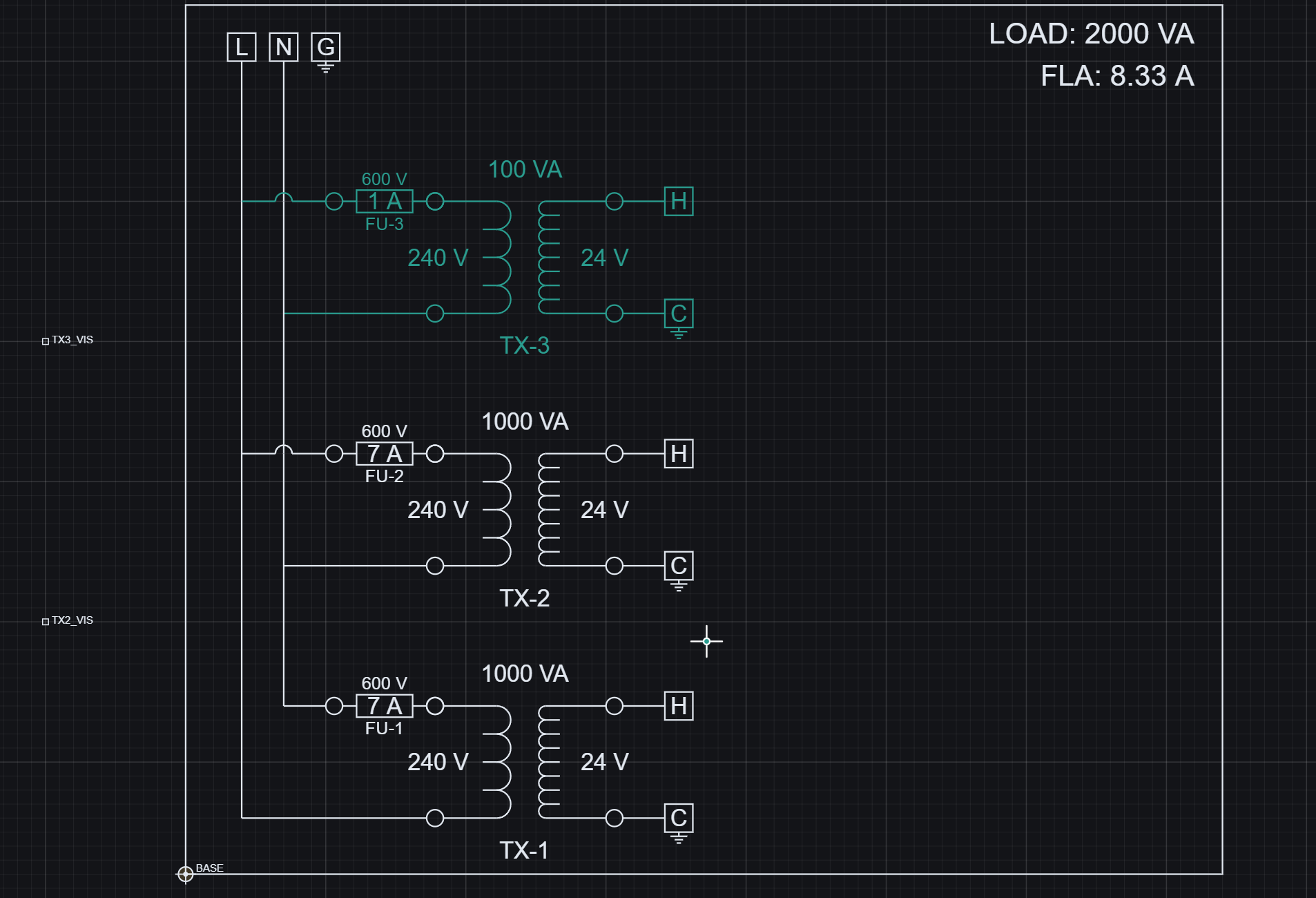
This means geometry is not static - it is conditionally realized based on logic.
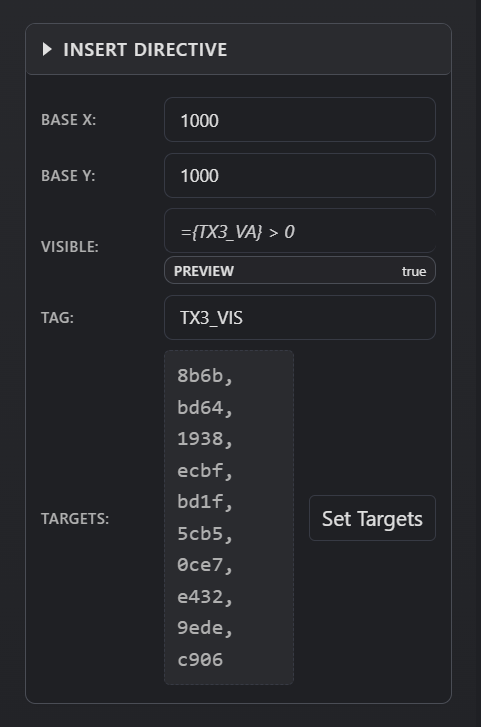
Directive configuration - fields can use injected formulas to control behavior such as visibility, position, and repetition.Directive targets - selected geometry primitives that the directive controls.
How directives work
Each directive has two key parts:
Inputs - fields such as position, visibility, rotation, or count
Inputs can use injection (tokens or formulas)
Targets - the geometry primitives the directive applies to
Example: a visibility directive may use =TX3_VA > 0
If true -> true targets are shown and false targets are hidden
If false -> false targets are shown and true targets are hidden
If no false targets are assigned, the directive behaves like the original show/hide target set
This creates conditional geometry driven by logic.
Where it is
Definition Tab -> add directives while editing a definition
Properties Panel -> configure directive inputs
Set Targets -> select which primitives the directive controls
What you can do
Control visibility of geometry using formulas
Move or offset geometry programmatically
Duplicate geometry using array or insert directives
Rotate or scale elements dynamically
Drive all directive inputs using parameters and variables
What happens
Parameters resolve first
Variables compute values
Directive fields evaluate (including formulas)
Targets are identified
Geometry is transformed, shown, or hidden
Reference link
For directive types, command syntax, target commands, and execution notes, see the Reference page: