Back to Help

Use Outputs

Expose evaluated block instance data from the same model that drives the drawing.

Outputs & DataintermediateReference guide

What this is

Outputs expose evaluated system data. They do not create a second copy of the design data.

The drawing and outputs are driven by the same evaluated model, so there is no separate BOM logic to keep in sync.

Inputs -> Logic -> Evaluated Instances -> Outputs
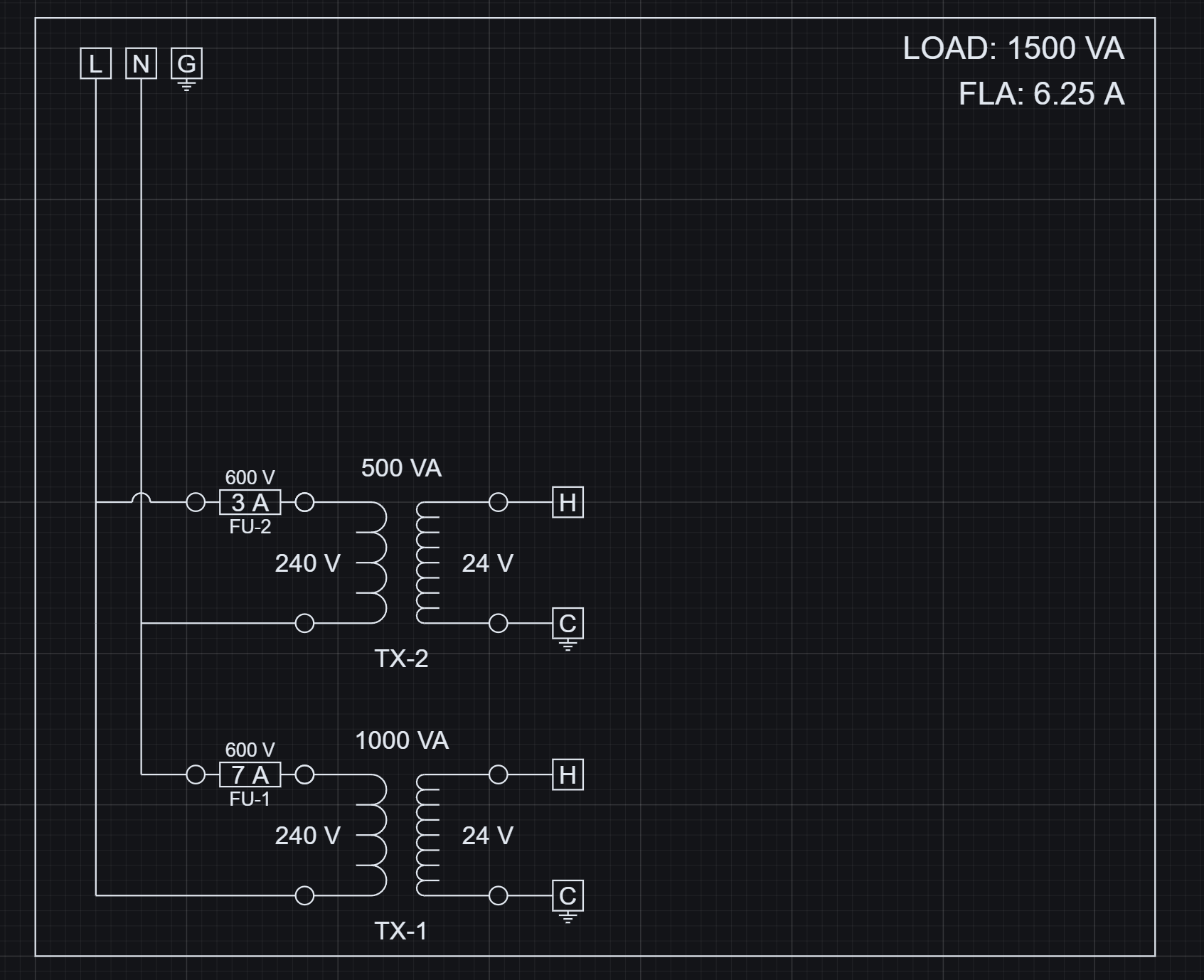
  • Values shown in the drawing come from resolved parameters and resolved variables.
  • Those same resolved values are what outputs read from evaluated instances.
Workspace showing a drawing driven by evaluated system values
The drawing and its values are generated from the evaluated system. Outputs use this same data.

Where it is

  • Toolbar: Outputs -> Data.
  • Artifact Studio is the UI for previewing and exporting evaluated data.
  • Opening Outputs -> Data gives you a live view of the evaluated system.
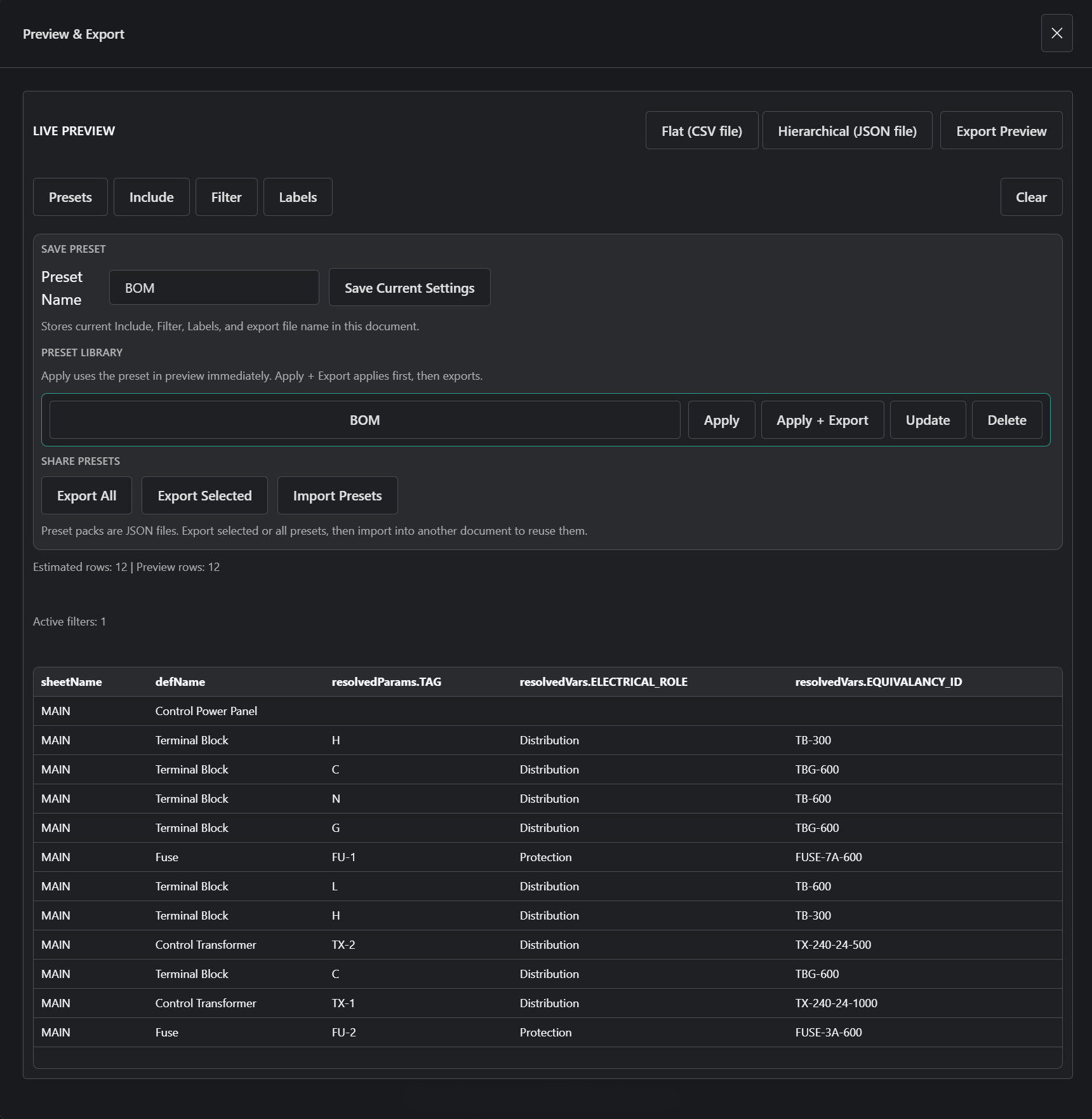
Artifact Studio preview table showing evaluated output rows
Outputs display evaluated block instances as rows of structured data that can be exported.
  • Each row is a realized block instance.
  • Columns are fields from the system, such as parameters, variables, and metadata.
  • The preview is not manually built data.

What you can do

  • Preview evaluated data.
  • Choose included fields.
  • Filter rows.
  • Rename or label columns.
  • Export flat CSV.
  • Export hierarchical JSON.
  • Save, apply, import, and export presets.

Try it now

  1. Open the Control Power Panel.
  2. Open Outputs -> Data.
  3. Apply the BOM preset.
  4. Observe that rows come from the evaluated drawing system.
  5. Export the preview as CSV.

What happens

  • The Project is evaluated into realized block instances.
  • Each instance has resolved parameters, resolved variables, and a selected state.
  • The output system builds a flat instance graph from those realized instances.
  • Outputs read the instance graph.
  • Artifact Studio filters and projects that graph into the preview.
  • Export uses the same preview data, so outputs stay consistent with the drawing.

Key idea

Outputs are a direct view of your evaluated design, not a separate system.

Docs

How artifacts are produced from evaluated instances.