What this is
A BOM is a filtered view of evaluated block instances.
It is derived from the same evaluated system that drives geometry.
It includes part-relevant blocks and identity data such as TAG, equivalency ID, role, and definition name.
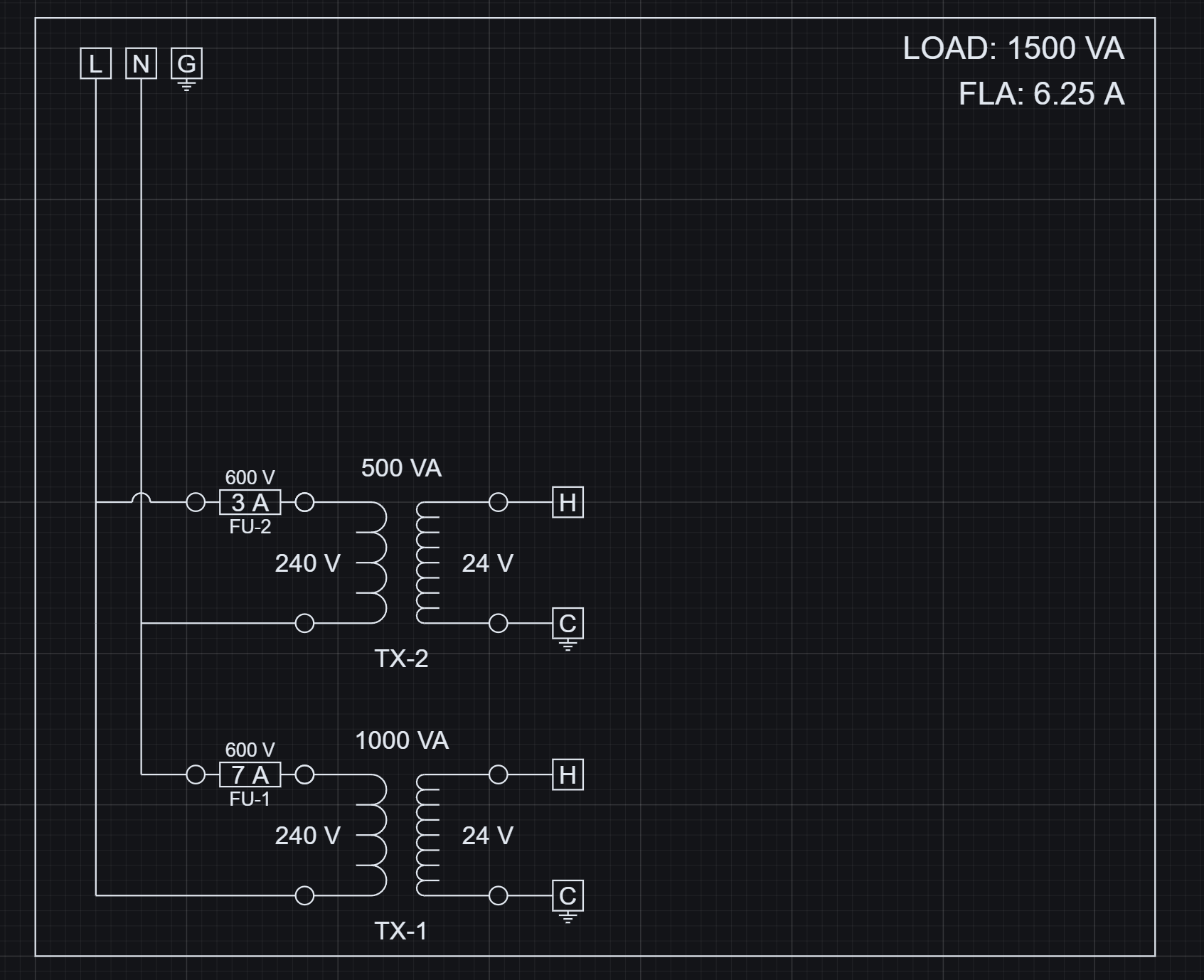 Each placed block becomes an evaluated instance with parameters, variables, and identity data.
Raw instance data
Outputs starts from the evaluated instance graph. That graph includes every evaluated block reference in the Project.
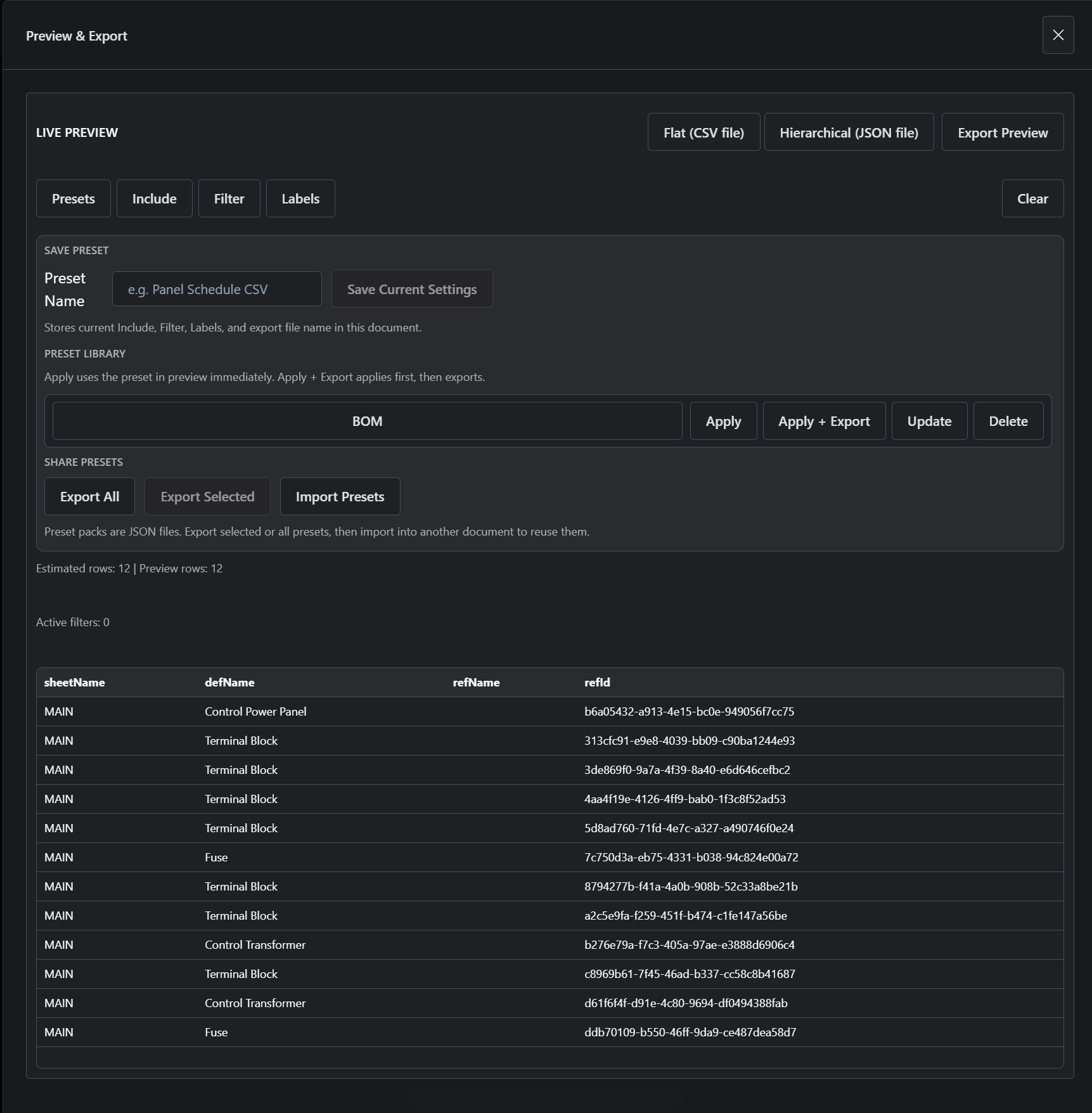 The Outputs panel initially shows all evaluated instances in the Project, not just parts.
- Structural blocks, helper blocks, assemblies, terminals, fuses, transformers, and other references can all appear.
- This raw output is evaluated system data, but it is not yet a BOM.
Filtered into a BOM
A BOM is created by shaping the evaluated data into part rows.
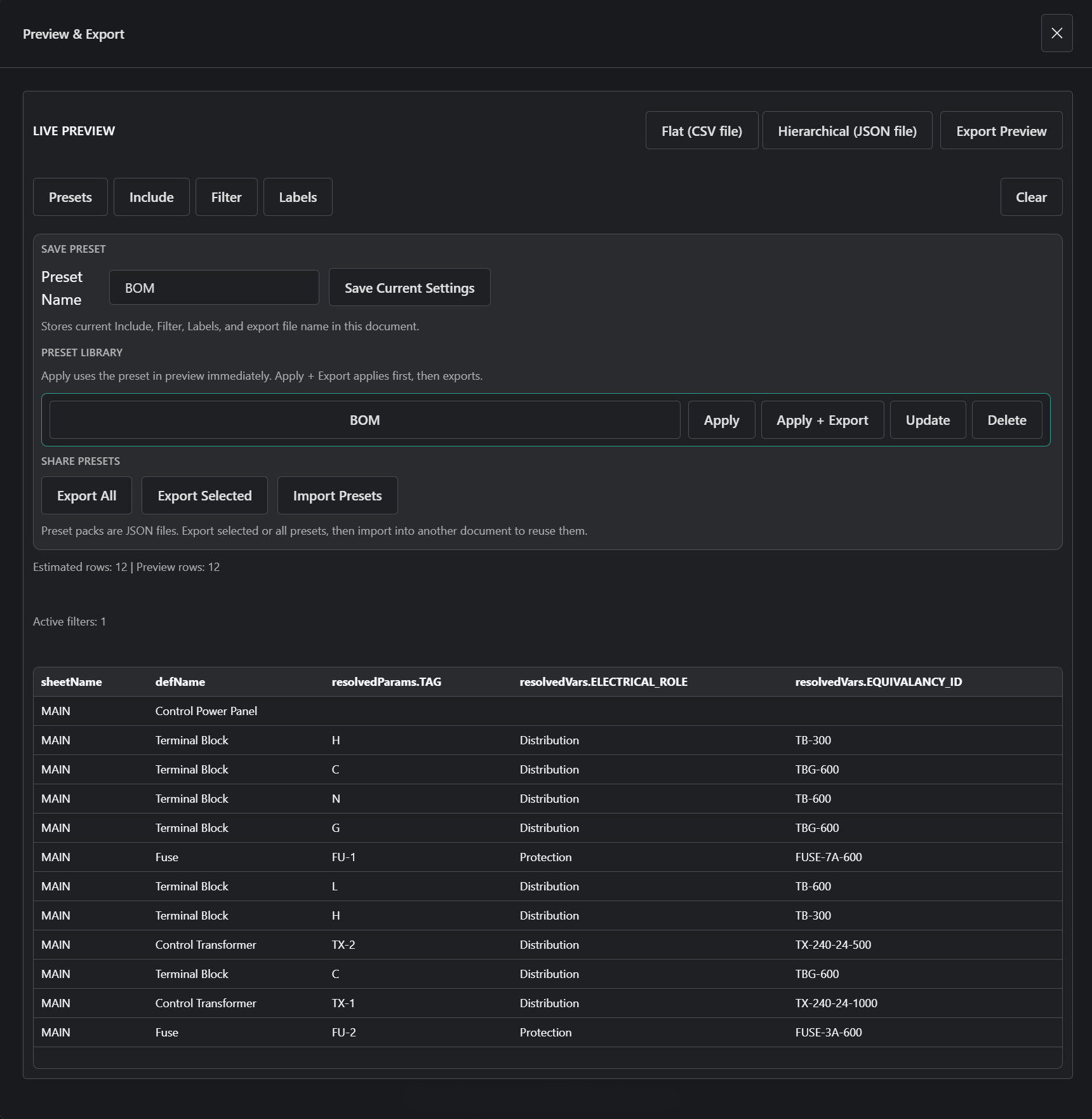 Applying a BOM preset filters instance data into a structured parts list.
- Filter to the block types or rows that represent parts.
- Select identity fields such as TAG, equivalency ID, role, and definition name.
- Flatten the relevant instance data into rows for export.
- You are shaping evaluated data, not generating new data.
Presets
A preset is a reusable output definition for the same evaluated instance data.
- Presets define which instances are included.
- Presets define which fields are shown.
- Presets define the exported structure and labels.
- The BOM preset is a saved configuration, not a separate BOM system.
Why this matters for automated BOM generation
The useful part is that the BOM is shaped from evaluated design data, not maintained as a disconnected spreadsheet after the drawing changes.
What you actually do
- Open Outputs -> Data.
- View all instances as raw output.
- Apply the BOM preset.
- Review the filtered rows.
- Export CSV.
What happens
- The Project is evaluated into an instance graph.
- Outputs reads that evaluated state.
- The BOM preset applies filters and field selection to the instance graph.
- The resulting rows are exported from the filtered preview.