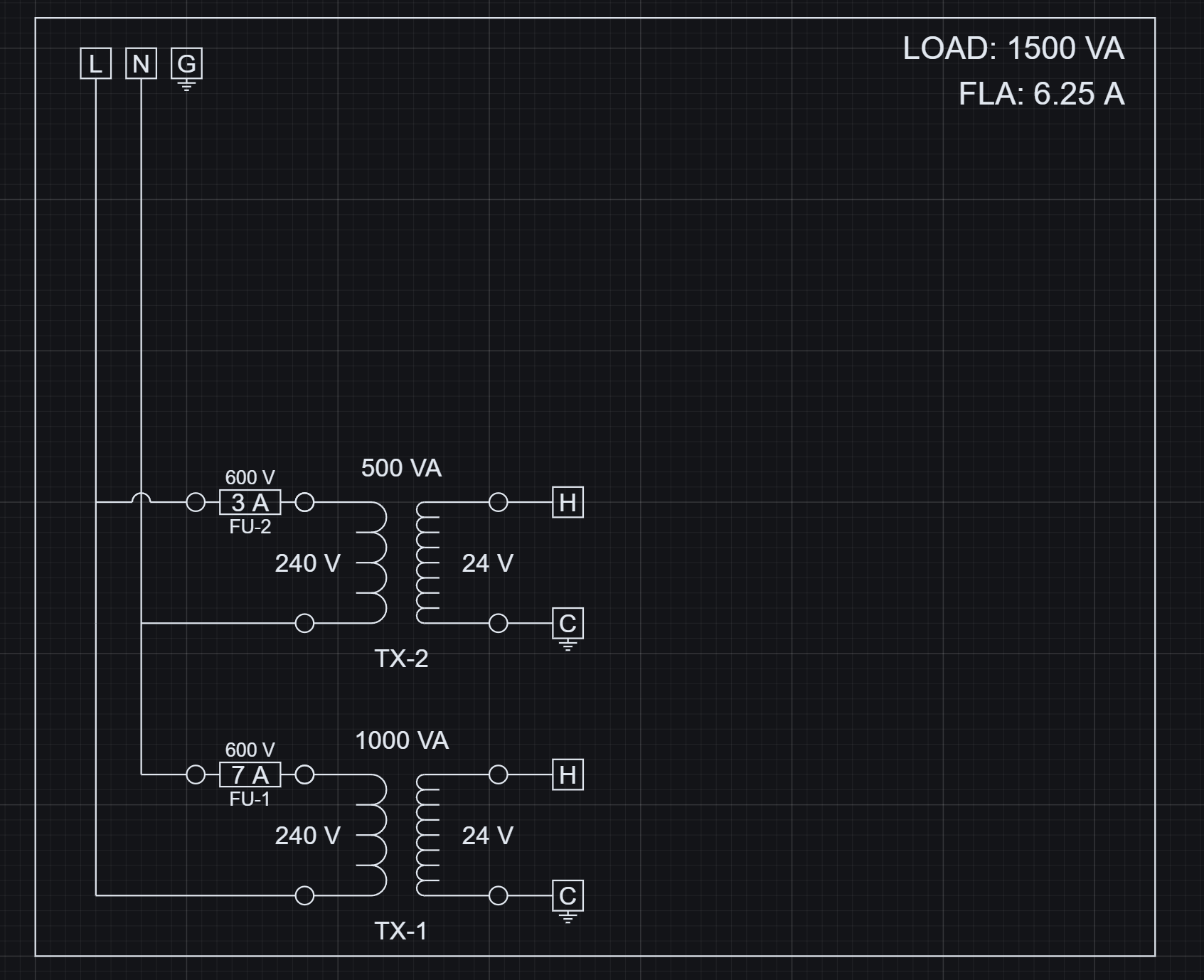
What this is Artifact tables are configurable views over the evaluated block instance graph.
You are not editing a static table. You define rules that project evaluated design data into an output.
Artifact Studio runs after evaluation, so metadata, parameters, variables, and resolved values are available for selection and filtering.
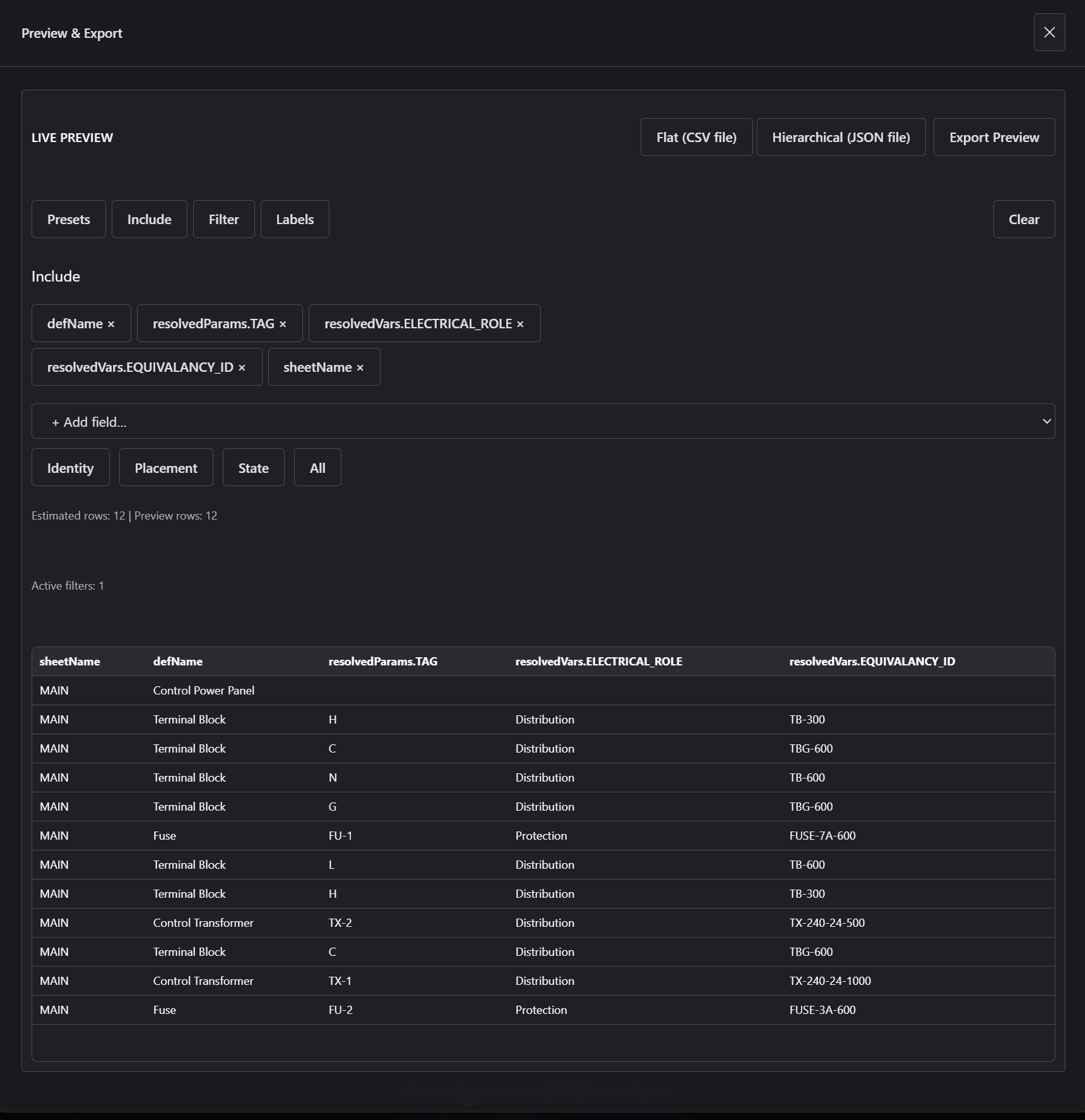
The drawing is evaluated into block instances before Artifact Studio shapes the output view. Include defines columns Include controls which fields from each evaluated instance appear in the output.
Select which fields from evaluated instances appear in the output. Fields can come from instance metadata, resolved parameters, and resolved variables. The selected fields become the columns of a flat CSV output. Changing Include changes the projection of the same evaluated instance data. Filter defines rows Filter controls which evaluated instances remain in the result.
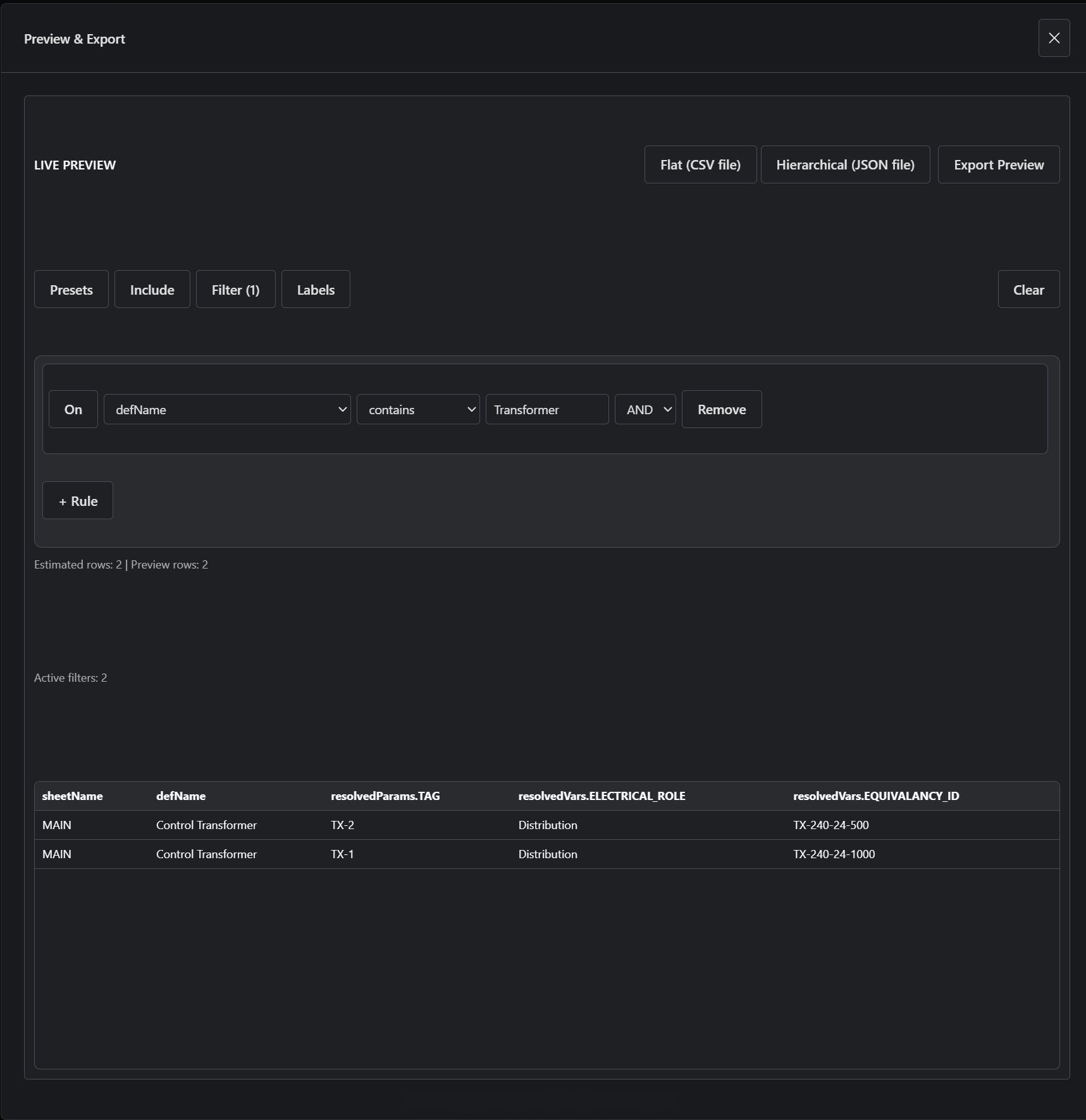
Apply rules to control which instances are included in the result. Rules compare fields from the evaluated instance data. A transformer-only table is a filtered view where non-transformer instances do not survive. Filtering changes the result set; it does not change the design model. Other configuration Labels shape field names and export naming. Presets save Include, Filter, Labels, and export choices for reuse. Flat CSV exports rows and columns; hierarchical JSON preserves parent-child instance structure. A preset is a saved configuration of the view, not a separate output system.
Artifact tables and BOM workflows Artifact tables are the configuration layer behind BOM-style outputs: they select fields, filter evaluated instances, and shape export rows from the resolved design.
What you can do Select and reorder fields from evaluated data. Filter instances using rule-based conditions. Switch between raw and resolved data views. Configure output structure as flat CSV or hierarchical JSON. Save and reuse table configurations as presets. Try it now Open Outputs -> Data. Open Include and choose fields such as definition name, TAG, role, and equivalency ID. Open Filter and add a rule that keeps only transformer instances. Watch the preview update from all evaluated instances to the configured view. Export the result as CSV. What happens Artifact Studio reads the evaluated Project snapshot. Include defines the projected fields. Filter determines which instances remain. Preview and export reflect the configured view, not a stored dataset. Key idea An artifact table is a query-like view over evaluated design data.